
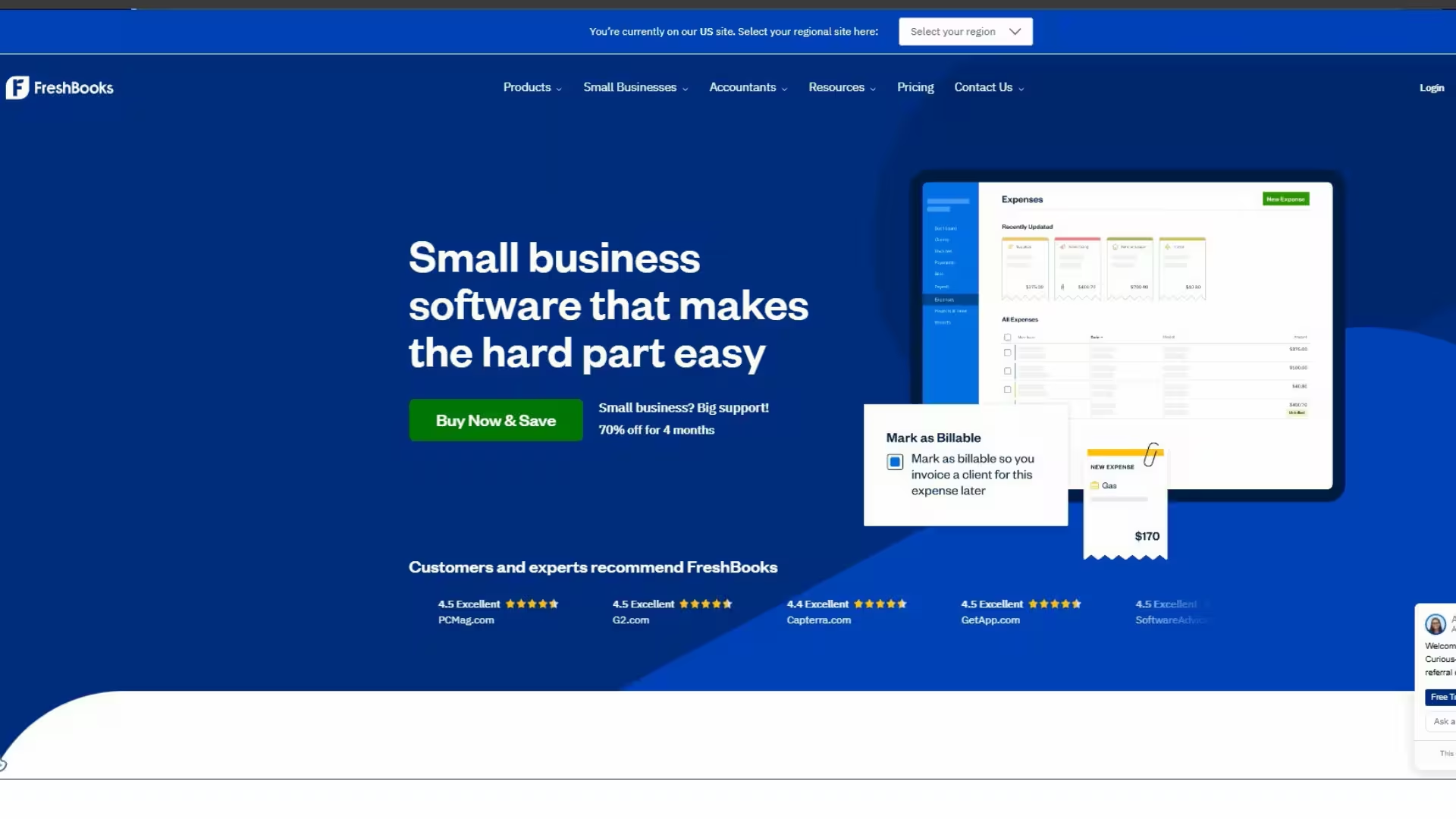
FreshBooks Review 2026
Running a small business or working as a freelancer means wearing many hats. You are the salesperson, the service provider, and — whether you like it or not — the accountant too. Chasing unpaid invoices, tracking expenses, and preparing for tax season can quickly take over your week if you do not have the right tools.
That is where FreshBooks comes in.
In this detailed FreshBooks review, we cover everything you need to know: what it is, who it is for, its key features, pricing plans, real pros and cons, and how it compares to the competition. By the end of this article, you will know exactly whether FreshBooks is the right accounting software for your business.
What Is FreshBooks?
FreshBooks is a cloud-based accounting and invoicing software designed specifically for small business owners, freelancers, and self-employed professionals. It was founded in 2003 in Toronto, Canada, and has since grown to serve millions of users in over 160 countries around the world.
Unlike enterprise accounting software that is packed with features most small businesses will never use, FreshBooks keeps things simple and focused. Its core mission is to help service-based businesses get paid faster, stay organized, and spend less time on admin work.
You can access FreshBooks from any device — desktop, tablet, or smartphone — since everything is stored securely in the cloud. There is no software to install and no complicated setup process. You can be up and running within minutes.

Who Is FreshBooks Designed For?
FreshBooks is not a one-size-fits-all tool. It is built with a specific type of user in mind:
- Freelancers — writers, graphic designers, photographers, web developers, video editors
- Consultants and coaches — business consultants, life coaches, marketing consultants
- Creative agencies — small marketing, design, or PR agencies with multiple clients
- Tradespeople and contractors — electricians, plumbers, builders, cleaners
- Professional service providers — lawyers, accountants, therapists, personal trainers
If you sell a service and send invoices to clients, FreshBooks was built for you. If you run a large retail business with complex inventory management, you may need a more specialized solution.
Key Features of FreshBooks
1. Professional Invoicing
FreshBooks makes creating invoices incredibly fast and easy. You can build a polished, branded invoice in just a few minutes using customizable templates. Add your business logo, choose your colors, and include all the necessary details.
Once the invoice is sent, FreshBooks automatically tracks whether your client has opened it. You can also set up automatic payment reminders so you never have to send an awkward follow-up email manually. Clients can pay directly from the invoice using a credit card, PayPal, or bank transfer, which means you get paid faster.
For recurring clients, you can set up automatic recurring invoices that are sent on a schedule without any manual effort on your part.
2. Expense Tracking
Keeping track of business expenses is one of the most tedious parts of running a small business — but FreshBooks makes it much easier. You can connect your bank account or business credit card and FreshBooks will automatically import your transactions.
From there, you can categorize each expense, attach a photo of the receipt, and add notes. When tax season arrives, all your expenses are already organized and ready to hand over to your accountant or upload to your tax software.
You can also track mileage for business travel directly through the FreshBooks mobile app, which is a useful feature for anyone who regularly drives for work.
3. Time Tracking
For freelancers and consultants who charge by the hour, FreshBooks includes a built-in time tracker. You can start and stop the timer as you work, or manually log hours at the end of the day. Hours can be assigned to specific projects and clients.
The best part is that when it is time to invoice, FreshBooks automatically pulls in your tracked hours and converts them into billable line items. This saves significant time and ensures you never forget to charge for work you have done.
4. Online Payments
FreshBooks integrates with major payment processors including Stripe, PayPal, and direct bank transfer. This means your clients can pay you online directly from their invoice with just a few clicks.
Studies show that invoices with an online payment option get paid up to twice as fast as invoices that require a bank transfer or check. This alone can make a significant difference to your cash flow.
5. Financial Reports
Understanding your business finances does not require a degree in accounting when you use FreshBooks. The platform generates clear, easy-to-read financial reports at the click of a button, including:
- Profit and loss report — see exactly how much you are earning versus spending
- Tax summary report — everything you need prepared for your accountant
- Expense report — a full breakdown of where your money is going
- Accounts aging report — see which clients owe you money and for how long
- Revenue by client report — identify your most valuable clients
6. Client Portal
Each of your clients gets access to a dedicated portal where they can view their invoices, make payments, and send messages. This creates a professional experience for your clients and reduces the number of payment-related emails you receive.
7. Project Management
FreshBooks includes basic project management tools that allow you to set budgets, assign tasks to team members, track time by project, and collaborate with clients. It is not a replacement for dedicated project management software, but for small teams it works well enough to keep things organized.
8. Mobile App
The FreshBooks mobile app is available for both iOS and Android and is one of the best in its category. You can create and send invoices, capture receipts, track time, and check your financial reports — all from your phone. This is especially useful for tradespeople and contractors who are often on the go.
FreshBooks Pricing Plans (2026)
FreshBooks offers four main pricing tiers. All plans include a free trial period so you can test the software before committing.
| Plan | Best For | Client Limit |
|---|---|---|
| Lite | Solo freelancers starting out | Up to 5 active clients |
| Plus | Growing freelancers | Up to 50 active clients |
| Premium | Small businesses and agencies | Unlimited clients |
| Select | Larger businesses | Custom pricing |
The Lite plan is a good entry point but the 5-client limit can feel restrictive if you are growing. Most small business owners will find the Plus or Premium plans to be the best value.
FreshBooks vs QuickBooks vs Wave
| Feature | FreshBooks | QuickBooks | Wave |
|---|---|---|---|
| Ease of use | ⭐⭐⭐⭐⭐ | ⭐⭐⭐ | ⭐⭐⭐⭐ |
| Invoicing | Excellent | Good | Good |
| Time tracking | Built-in | Add-on | Not available |
| Mobile app | Excellent | Good | Average |
| Free plan | No (free trial) | No | Yes |
| Best for | Freelancers & service businesses | All business types | Very small businesses on a budget |
QuickBooks is more powerful for product-based businesses and has more advanced accounting features, but it has a steeper learning curve and is more expensive.
Wave is completely free for invoicing and accounting, which makes it attractive for very small businesses or those just starting out. However, it lacks time tracking and its customer support is limited compared to FreshBooks.
FreshBooks wins on ease of use, time tracking, and customer support — making it the top choice for service-based freelancers and small businesses.
Pros and Cons of FreshBooks
✅ Pros
- Extremely easy to use — no accounting knowledge required
- Fast, professional invoicing with automatic reminders
- Excellent built-in time tracking
- Outstanding mobile app for iOS and Android
- Clients can pay online directly from invoices
- Strong customer support via phone and email
- Integrates with 100+ apps including Stripe, PayPal, Shopify, Gusto, and Slack
- Clean, well-organized financial reports
❌ Cons
- More expensive than some competitors
- Lite plan limited to 5 active clients
- Not ideal for product-based or inventory-heavy businesses
- Payroll is a paid add-on, not included in base plans
Frequently Asked Questions (FAQ)
Is FreshBooks good for beginners? Yes. FreshBooks is one of the most beginner-friendly accounting tools available. You do not need any accounting experience to use it effectively.
Does FreshBooks have a free plan? FreshBooks does not offer a permanent free plan, but it does offer a free trial so you can test the software before paying.
Can I use FreshBooks on my phone? Yes. FreshBooks has a highly rated mobile app for both iPhone and Android that includes almost all features from the desktop version.
Is FreshBooks safe and secure? Yes. FreshBooks uses bank-level 256-bit SSL encryption to protect your data and financial information.
Can FreshBooks handle taxes? FreshBooks helps you organize your finances and generate tax-ready reports, but it does not file taxes for you. You or your accountant will still need to file your actual tax returns.
Final Verdict: Is FreshBooks Worth It in 2026?
After looking at everything FreshBooks offers, the answer is clear — yes, it is worth it for the right type of business.
If you are a freelancer, consultant, or service-based small business owner who regularly sends invoices, tracks time, and wants clean financial reports without the complexity of traditional accounting software, FreshBooks is one of the best tools available in 2026.
It will save you hours every week, help you get paid faster, and give you a clear picture of your business finances at all times. The mobile app is excellent, the customer support is responsive, and the overall experience is polished and professional.
Is it the cheapest option? No. But the time it saves and the professionalism it adds to your business makes it well worth the monthly cost.
Try FreshBooks Free Today
FreshBooks offers a free trial with no credit card required. You can test all the features and see for yourself whether it is the right fit for your business.
👉 Click here to start your free FreshBooks trial
Take control of your business finances today — and spend less time on admin and more time doing what you love.
Disclosure: This article contains an affiliate referral link. If you sign up through the link above, I may earn a small credit at no extra cost to you. I only recommend tools I believe provide genuine value.
FreshBooks Review FreshBooks Review FreshBooks Review FreshBooks Review FreshBooks Review v FreshBooks Review FreshBooks Review FreshBooks Review FreshBooks Review FreshBooks Review FreshBooks Review FreshBooks Review FreshBooks Review FreshBooks Review v FreshBooks Review
WATI.io is becoming a popular WhatsApp marketing and automation platform for businesses in 2026. Discover its features, pricing, pros, cons, and whether it’s the right tool for your business growth.
https://zdigitallevel.com/wati-io-review-2026-the-ultimate/
FreshBooks Review
¡Buen artículo! NBA The Run en / me ha servido para temas parecidos. NBA The Run
ezxdiogzydymtqlyefztnedqeewpru
wzdhnnveuntpopethhzfmehwpwfsig
Nice perspective on the topic. You may find Van Gogh Free AI Video Generator useful — . Van Gogh Free AI Video Generator